People always seem to say that datastructures and algorithms are supposed to be embarrassingly obvious to anyone who's a coder. I wonder to what extent this is actually the case. I recall taking a course on this way back in college when I wasn't quite ready for it yet, of which not a whole lot remains in memory.
So I thought it would be fun to revisit that stuff and write some of the algorithms. As a bonus, why not write them in c, a language I know almost nothing about, just to add some spice to the menu. The way I was doing is I would look up the algorithm on 'pedia, figure out what it does, and then try to write it. And if I got totally stuck I would peer at the code to debug my broken mental model. This only happened once.
From the outset, I was thinking that it would be useful to compare them on performance as well, so timing would definitely be involved. I remember we did some timing back in college, which was pretty amateurish. Clocking runtimes and curve fitting, that was lame. It doesn't address the core of the problem. We don't actually care whether an algorithm is fast or slow, that's not the point. What we're really interested in is how much work it's doing. Speed is just a function of that. Naive algorithms do too much work, they go grocery shopping and leave the shopping list at home, so they have to go home and back for every item to see what it was.
So taking that concern into account, I devised a simple struct to accumulate some metrics as the algorithm is executing. cmp stores the number of comparisons made during execution, ie. comparing elements of the array against each other. ass stores the number of assignments of array elements. rec stores the number of function calls to the particular function (interesting when functions are recursive). Finally, unit and ulen are just type variables that define the type of array elements and array indexes (lengths) respectively.
typedef unsigned long unit;
typedef unsigned long ulen;

typedef struct {
	char *name;
	ulen cmp;
	ulen ass;
	ulen rec;
} Metrics;
With that out of the way, the data types should be clear (as clear as they'll ever be I guess). I actually did it this way so I could switch the type in just one place while I was playing with it. (It's a bit easier to see if a few shorts are in order before you go to large datasets and want a wide value space.)
Before we move along to the algorithms themselves, one thing to consider is what sort of data they'll be sorting. Different algorithms have different performance characteristics depending on how much of the data is already sorted. I decided it would be most instructive to give them a real workout, so I'm feeding data from /dev/urandom. This is essentially the worst case scenario, the data is pretty damn random and the stats below reflect this.
One last thing. In order to collect metrics the algorithms were mildly instrumented. I've tried to make this as unintrusive as possible, but it necessarily adds a line here and there. I'm not sure if the metrics are exactly right, but they should at least give you a decent order-of-magnitude idea.
Bubble sort
The first algorithm making an appearance is bubble sort. What bubble sort does is start at the beginning of the array, and repeat the same action for each position in the array. It takes the element that is found there, and if it's larger than the element on the right, it swaps them. And then it keeps swapping up the array until it finds a neighbor that isn't smaller. Once that happens, it moves on to the next position in the array.
It turns out that when you do this for each position in the array, you get all the elements in order. If you're still skeptical think of it this way. The largest element will have been swapped all the way to the end, so it's definitely in order. The smallest element, no matter where it happened to start out, will have been swapped past by all the larger elements to its left, so it eventually ends up at the very beginning. And the same holds for all the elements in between.
Metrics bubblesort(unit *arr, ulen length) {
	Metrics ms = {"bubblesort", 0, 0, 1};
	ulen swaps = 1;
	unit swap;
	for(ulen i=0; i<length-1 && swaps > 0; i++) {
		swaps = 0;
		for (ulen j=0; j<length-1; j++, ms.cmp++) {
			if (arr[j] > arr[j+1]) {
				swaps += 3;
				swap = arr[j];
				arr[j] = arr[j+1];
				arr[j+1] = swap;
			}
		}
		ms.ass += swaps;
	}
	return ms;
}

=== bubblesort ===
n          : 100000
n*log(n)   : 1660964
n^2        : 10000000000
calls      : 1
comparisons: 9938500614
assignments: 7498934958
runtime    : 30.540000s
As you'll have spotted, ms is the variable carrying the metrics, so any reference to ms.something has to do with collecting metrics, the rest is algorithm logic. Below the code is the metric listing I computed. Just to keep it consistent all these runs were done on 100,000 item arrays. For your convenience, there are also the values for n2 and n·log(n), useful reference points for sorting algorithms.
This algorithm stops working once it determines that no more sorting is necessary. In this case, you'll notice the number of comparisons made actually approaches n2, which is a pretty good indication that the data was quite random indeed. The assignments counter shows that the assignments in the innermost if block were executed once for every four comparisons. I would imagine that assignments are more expensive than comparisons, but I don't really know, and it's really an implementation detail. Obviously, the reason to make a comparison is to set the stage for an assignment, so the two numbers always follow in the same order of magnitude.
The runtime shows how long the algorithm took to execute, but it's a somewhat less useful measure, influenced as it is by how heavy the traffic was to the supermarket that day.
Selection sort
Selection sort works more the way that a human would sort things. It first scans the whole array for the smallest element, and then swaps it with the element in the first position. It then moves one slot over and again scans the rest of the array for the smallest element, swapping it into the second position. This obviously produces a sorted array.
Metrics selectionsort(unit *arr, ulen length) {
	Metrics ms = {"selectionsort", 0, 0, 1};
	unit swap;
	ulen cursor;
	for(ulen i=0; i<length-1; i++) {
		cursor = 0;
		for(ulen j=i+1; j<length; j++, ms.cmp+=2) {
			if (arr[i] > arr[j] && (cursor == 0 || arr[cursor] >= arr[j])) {
				cursor = j;
			}
		}
		if (cursor > 0) {
			swap = arr[i];
			arr[i] = arr[cursor];
			arr[cursor] = swap;
			ms.ass += 3;
		}
	}
	return ms;
}

=== selectionsort ===
n          : 100000
n*log(n)   : 1660964
n^2        : 10000000000
calls      : 1
comparisons: 9999900000
assignments: 299958
runtime    : 27.130000s
Sorting this way is more predictable, because after every pass in the sorting you know that you have a fully sorted sub array at the beginning that needs no further work. And therefore you know that the remainder of the array that is going to be scanned on every subsequent pass will shrink steadily. This is in contrast to bubble sort where even after coming half way you don't know how many comparisons will have to be made on the next pass.
But there is still a whole lot of comparisons to be made to find the smallest element each time. There are far fewer assignments, however, because the element once located is put in its final position.
Insertion sort
Insertion sort is rather different from the first two. Instead of working on the whole array and finding the global minimum, it sorts a growing part of the array for every pass. Starting at the beginning, it compares the element in the second position with the one in the first position and inserts it where it's supposed to go, either in position one or doing nothing (remains in position two). It then looks at the third element and inserts it where it's supposed to go, and so on.
The difference here is that the portion that has been sorted isn't final yet, because there are a bunch of elements remaining that will be inserted somewhere in between those we have in order.
Metrics insertionsort(unit *arr, ulen length) {
	Metrics ms = {"insertionsort", 0, 0, 1};
	ulen j;
	unit swap;
	for(ulen i=1; i<length; i++, ms.ass+=2) {
		swap = arr[i];
		for(j=i-1; ms.cmp++, j>=0 && arr[j] > swap; j--, ms.ass++) {
			arr[j+1] = arr[j];
		}
		arr[j+1] = swap;
	}
	return ms;
}

=== insertionsort ===
n          : 100000
n*log(n)   : 1660964
n^2        : 10000000000
calls      : 1
comparisons: 2499744985
assignments: 2499844984
runtime    : 3.860000s
Insertion sort is substantially more efficient, and the big win comes from not looking at the whole array to find the right element. Instead, elements are admitted in the order they stand, and put away in the right place. This dramatically reduces the number of comparisons and assignments alike. However, there is still the undesirable case of having to insert a small element near the beginning of a long sorted sub array, having to move all the elements to the right up the array, by one.
But even though it is more clever, we can't get away from the fact that insertion sort is still an O(n2) algorithm, as the numbers show.
Quicksort
In order to break the n2 barrier we have to look at algorithms that actually guarantee never having to look through the whole array, because that's what really takes a lot of work. Quicksort is an odd one, because it doesn't give this guarantee, but it's sufficiently unpredictable to almost never have to do this.
Here's how it works. It picks a random element called the pivot. This can be any element really, in our case it will be the first one in the array. Now what we want to achieve is that the pivot is put in the right place. So we run through the whole array (but just the first time!) and assemble two new arrays, for those elements smaller than the pivot, and those greater. We don't know anything else about the elements in these two sub lists, only that they are on either side of the pivot. But by now we've already moved all the elements that belong to the left of the pivot over to that side, and vice versa. Which means that we can sort the two halves independently. So for each half we again choose a pivot, assemble two sub lists, and so on.
Eventually this division gives two sub arrays of just one element, with a pivot in the middle, which don't have to be sorted any further. So then we're all done, and we just collect all the sub results into one array.
Metrics quicksort(unit *arr, ulen length) {
	Metrics ms = {"quicksort", 0, 0, 1};
	if (length > 1) {
		unit pivot = arr[0];

		unit *left = malloc(length * sizeof(unit));
		unit *right = malloc(length * sizeof(unit));

		ulen l = 0, r = 0;
		for(ulen i=1; i<length; i++, ms.cmp++, ms.ass++) {
			if (arr[i] < pivot) {
				left[l++] = arr[i];
			} else {
				right[r++] = arr[i];
			}
		}

		arr[l] = pivot;
		memcpy(arr, left, l * sizeof(unit));
		memcpy(&arr[l+1], right, r * sizeof(unit));

		free(left);
		free(right);

		Metrics lms = quicksort(arr, l);
		Metrics rms = quicksort(&arr[l+1], r);

		ms.cmp += lms.cmp + rms.cmp;
		ms.ass += lms.ass + rms.ass + length + 1;
		ms.rec += lms.rec + rms.rec;
	}
	return ms;
}

=== quicksort ===
n          : 100000
n*log(n)   : 1660964
n^2        : 10000000000
calls      : 133599
comparisons: 1923150
assignments: 3979898
runtime    : 0.040000s
What makes the implementation a bit complicated is that it's an in-place sort, so every time we have a pivot and a pair of sub arrays ready, we copy them back into the original array, overwriting it. Quicksort is a bit simpler when it returns a new array, but just to make it consistent with the other algorithms (which are in-place), we do it this way.
Since this is a recursive algorithm, the number of times it gets called depends on the length of the array. We want this number to be high. That might seem strange at first, but we know that the more calls we have, the more evenly we're dividing the array each time, ie. the quicker it's going to get shorter. Recall that at every step we need to scan the entire current sub array so that we can move the pivot into the middle position. And that is a lot of work, so if the sub arrays are half as large each time, this won't be so bad, but if they decrease by only one element (ie. the pivot is always at the very end), it's going to be very tiresome. Notice that the number of comparisons is still a lot higher than the number of calls, so we can afford to maximize the calls. What we get out of it is more calls that each do less work, rather than fewer calls that each do more work.
To make this more concrete, let's look at it more carefully. If we divide the array evenly each time, we first get 1 call on the whole array, then 2 calls on the two halves, then 4 and so on. This gives a total of Sum(2x,1,m), where m = log2n, ie. around 260,000 calls (with m = log2100,000 ~= 17). This must also be the upper bound for the number of calls possible, because if you divide each piece up evenly then they cannot possibly be subdivided any more. On the other hand, if we were unfortunate to choose the pivot on the end of the array each time, we would have 100,000 calls, but each call would do much more work, and we'd be back in n2 territory.
This is why Quicksort isn't guaranteed to do n·log(n) work, it depends on the input data (random data will cause the pivot to be chosen randomly, whereas on [mostly] sorted data the algorithm should make sure the pivot is chosen at random).
Merge sort
What we've seen so far is that a recursive algorithm should maximize the number of calls to minimize the amount of work on each call. Merge sort is an algorithm that takes this to heart. It's less chaotic and more structured than Quicksort, because it always sub divides into equal chunks.
Here's how it goes. First we divide the array in subsequent calls into halves. Once we have arrays of size 1, we start merging each pair of arrays into one. When we're merging we know that each half that needs to be merged is sorted internally. So we take the head of each half, compare the two elements, and stick the smallest one in the result array. We continue this as long as we have elements left in both halves. Once we run out, we know that the half that remains belongs on the end of the result array. And so we're merged two halves into one, which keeps on going until the whole array has been put back together.
Metrics mergesort(unit *arr, ulen length) {
	Metrics ms = {"mergesort", 0, 0, 1};
	if (length > 1) {
		ulen mid = length / 2;
		Metrics rms = mergesort(arr, mid);
		Metrics lms = mergesort(&arr[mid], length-mid);

		unit *temp = malloc(length * sizeof(unit));

		ulen i, l = 0, r = mid;
		for(i=0; i<length && l < mid && r < length; i++, ms.cmp++, ms.ass++) {
			if (arr[l] < arr[r]) {
				temp[i] = arr[l++];
			} else {
				temp[i] = arr[r++];
			}
		}
		if (l < mid)
			memcpy(&temp[i], &arr[l], (length-i) * sizeof(unit));
		if (r < length)
			memcpy(&temp[i], &arr[r], (length-i) * sizeof(unit));

		memcpy(arr, temp, length * sizeof(unit));
		free(temp);

		ms.cmp += lms.cmp + rms.cmp;
		ms.ass += lms.ass + rms.ass + (length - i) + length;
		ms.rec += lms.rec + rms.rec;
	}
	return ms;
}

=== mergesort ===
n          : 100000
n*log(n)   : 1660964
n^2        : 10000000000
calls      : 199999
comparisons: 1536114
assignments: 3337856
runtime    : 0.040000s
Here again we gradually overwrite the input array with chunks of sorted elements. This is safe, because at each stage we're working with half the previous array, which we know isn't affected by what happens in the other half. Once both halves are sorted, we merge them together into a temporary result array, and once that is done, write that back over the input array.
As with Quicksort before, rather than iterate over elements in order to copy them across from one array to another verbatim, we use the helpful memcpy function, which probably is a bit faster. But we still count the number of assignments in terms of how many actual elements are being copied when this happens.
Unlike Quicksort, we actually have more calls with this algorithm. There are two reasons for this: a) we don't have pivot elements, so there are more elements to sub divide, and b) the division is exactly symmetrical. This reduces the number of comparisons and gets us right under the n·log(n) limit, officially in logarithmic territory.
So there you have it, 5 different sorting algorithms, each with their own special characteristic. Want to take a closer look? Here is the whole thing:
sorting.c
Build with:
gcc -std=c99 -lm sorting.c
Unfortunately, noone has yet been clever enough to discover a general sorting algorithm that would only do n work. But as should be plain by now, n·log(n) is a dramatic improvement over n2. When in doubt just remember: lazy is better. If you had to do this by hand you'd be lazy and figure out a way to get paid the same money for less work, so let your program get the same deal. ;)
EDIT: Fixed a mistake in the selection sort algorithm.
UPDATE: I just realized this code doesn't run particularly well on x86, because the int data types start to overflow, long just isn't long enough. I didn't notice this as I was running on x86_64.

 May 27th, 2008


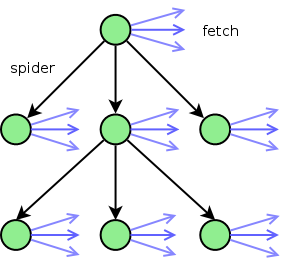 Starting at the url to be spidered (the top green node), we spider the page for urls. For each of the urls found, it ends up in one of three categories: