
 July 14th, 2007
As much as the mouse wheel was a good idea, making it a clickable button was a *bad* idea. The mouse wheel is more sensitive than the left and right buttons, and it has too many jobs. Newer mice also do horizontal scrolling, which makes it even more flexible. Pushing down the mouse wheel to click has always been uncomfortable, for the simple reason that it *moves* in other directions beside down, it's not static.
When the mouse wheel was introduced, it was de facto a third button, and so the "natural thing" was to just make it that, adding to the scrolling functionality. Of course, the old Unix standard of mice also had three buttons, so that fits.
This button is important, because it's the Unix paste button, you use it all the time. In addition, Firefox made it its own, for opening links in tabs and for closing tabs. It has always bugged me that I had to use the mouse wheel button for that. Not enough to actually do something about it, but enough to bother me. :lazy:
So today I got the Logitech MX 400, where the mouse wheel button is actually harder to press in, and I decided to finally fix the problem. So here's what you do.
First you should know how many buttons your mouse has. You count every button, you also count scrolling (back, and forth, each count as a button). For example, my mouse has 9; the front two, a mouse wheel with 4 directions of scrolling, the mouse wheel button, and two side buttons. If you have some extra side buttons to use, you can use one of these as the paste button.
But you need to know which is which. Here's how:
$ xev
ButtonRelease event, serial 29, synthetic NO, window 0x2c00001,
root 0x61, subw 0x0, time 8209381, (102,133), root:(946,186),
state 0x100, button 1, same_screen YES
Here I started up xev, which brings up a little window. It prints lots of output about mouse and keyboard activity. When I move the pointer into the window and click, I get a piece of output like the above. Here I clicked the left front button, which is called button 1. In the same way, I find out that the mouse wheel button is number 2. While the side button I want to use as paste button is number 8.
Knowing this, I can remap the two buttons, switch their positions. Like so:
xmodmap -e "pointer = 1 8 3 4 5 6 7 2 9"
Here the numbers are sequential, except that 2 and 8 are swapped. Run this while X is running and you get the desired effect.
To make this permanent, you need to add it to your X session script. KDE is not very nice, because it doesn't give you an easy way to do it, so I just added the line to the startkde script (ugly hack):
...
xmodmap -e "pointer = 1 8 3 4 5 6 7 2 9"
# finally, give the session control to the session manager
# see kdebase/ksmserver for the description of the rest of the startup sequence
...
 Significantly, Hollywood has given the suit an image outside weddings and funerals that represents top class fashion and coolness. More so than anything, it suggests to us that given the choice, Hollywood characters would choose to wear a suit. Why would suave characters whose plot does not dictate unto them a dress code choose to wear a suit, a style of clothing associated with private family occasions and tedious business meetings? Exactly, it doesn't fit. And I think Hollywood, not necessarily by itself, but certainly as a medium, has helped create that image of the suit as desirable clothing. It's mythological. Most people don't look anything like Brad Pitt in a suit.
 Chances are that the first experience you had with a user interface, might have been your first experience with a computer altogether, someone told you that to scroll down the page, you use these arrows strategically positioned that scroll the page. This is officially the worst way to scroll, it's incredibly slow, and you have point your mouse at the tiny buttons each time.
 Now you're one step up from clicking on the arrow. You realize it's too slow, so you grab the bar and drag it. This is a very imprecise scrolling method, but a much faster and empowering one. The problem is that you still have to use the mouse button for this, and since scrolling is something you do all day everyday, this is way too much mouse dependency.
 Clicking is an improvement on dragging, so your hand will prefer this. You click the gray area where the bar is absent and it scrolls page-by-page. You also don't have to position the pointer as exactly, just as long as it's somewhere on the long gray bar, much better. Here uis differ, some stop scrolling once the bar reaches the position where you hold your pointer, which is logical, others don't.
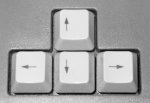 What if you didn't have to use the mouse at all? Face it, the keyboard is a much faster control device, and before you had windowing applications with hundreds of pixels to traverse, you didn't need a mouse at all. And it's a much more pleasant control too: I don't know about you, but I find pressing a key much smoother than clicking the mouse button. Maybe you have a fantastic mouse. So yes, you can use the arrow keys. But the rate of scrolling is the same as that of the arrow buttons, so you trade in control for ergonomics.
 This is just like the linux programs